For classics and older vehicles
Keep Your Classic Running.Know What's Wrong.Remember Every Repair.
AI-powered troubleshooting, parts finding, and repair history built for older cars and trucks.
From the first strange noise to the final repair, My Shadetree Garage helps you figure out what to check, find the parts you need, and keep track of everything you've done.
Invite-only beta. Free while we're testing.
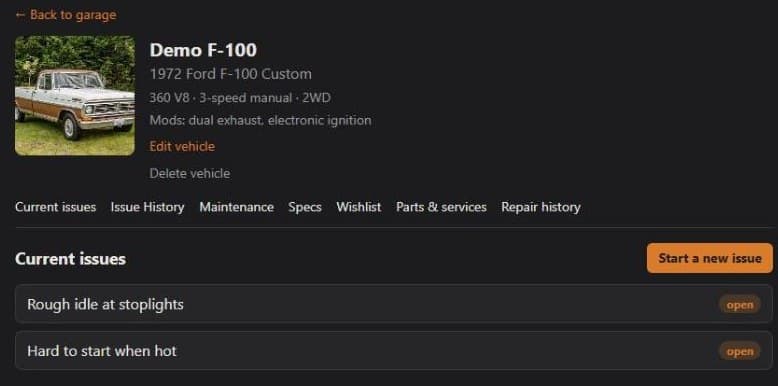
Old vehicles don't tell you what's wrong.
No dashboard codes. No scan tool. Just a noise, a smell, or a truck that won't start when it's hot. And the history that could explain it is scattered across a glovebox, a shoebox of receipts and forum threads you'll never find again.
ShadeTreeGarage puts all of it in one place and helps you make sense of it.
More than one vehicle
One Garage. Every Vehicle. Every Repair.
Whether you have one classic car or truck, a weekend project, or a collection, keep every repair, receipt, part, and maintenance record organized in one place.
Add as many vehicles as you have
The daily driver, the project truck, the one in the barn. They all live in your garage.
A separate history for each
Every vehicle keeps its own issues, maintenance, specs, parts and receipts, so nothing gets mixed up.
A running total for each
See what each vehicle has really cost you in parts and shop work.
How it works
From "what is that noise?" to fixed, in three steps
- 1
Add your vehicle
Year, make, model, engine, mods and a photo. Enter a VIN and it fills in the rest.
- 2
Describe what's wrong
Say what you see, hear and smell, and attach up to four photos. The more specific you are, the better the answer.
- 3
Work it with the AI
Get ranked likely causes with a simple check for each, answer its questions, log what you find, then watch repair videos matched to your exact vehicle and close it out when it's fixed.
What you get
Everything for the shade-tree mechanic, in one garage
Real screens from the app, shown here with a demo vehicle.
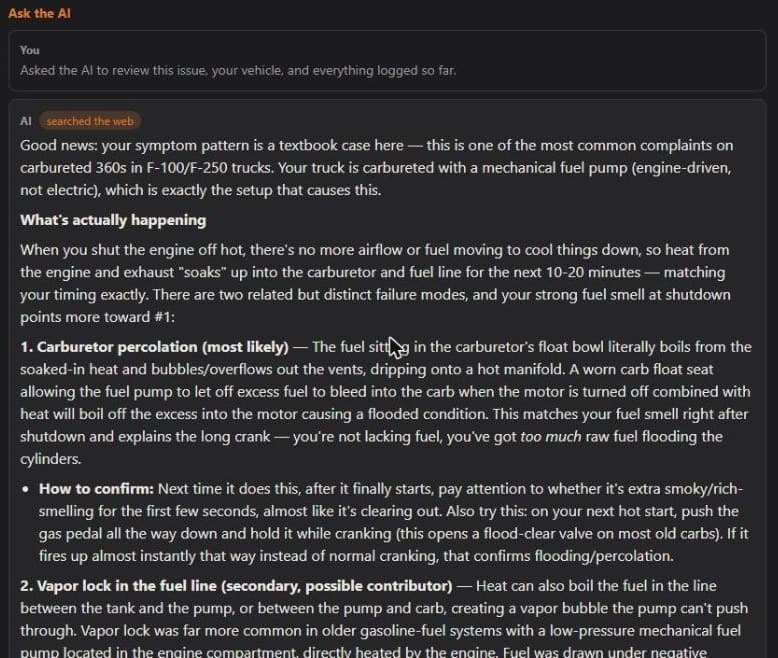
A diagnostic helper that reads your history
It starts from your actual vehicle, your mods and everything you've already checked, so you get a ranked list of likely causes instead of a generic answer.
- Searches the web for known problems on your specific engine and model
- Asks a clear question when it needs more, and keeps going as you report back
- Ends with an honest do-it-yourself-or-take-it-to-a-shop call
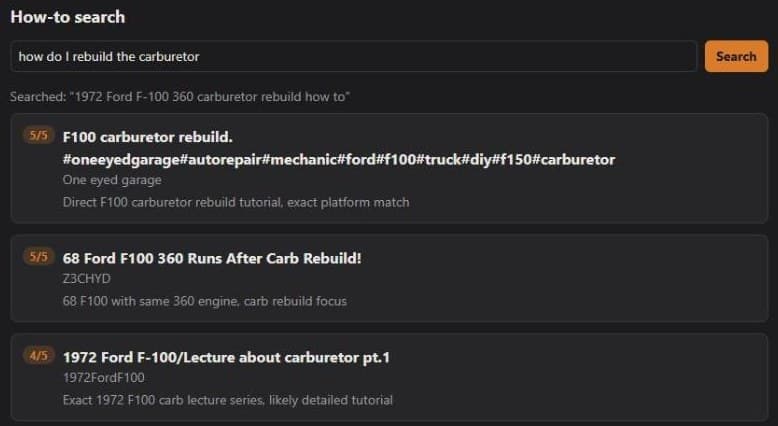
Once you know what's wrong, see how to fix it
The AI tells you what to check and whether the job is one to do yourself. Then it finds repair videos for your exact vehicle, so you're not watching someone fix a different truck.
- Open Find videos on an open issue to get videos for that specific problem
- Or ask any how-to question on its own, like "how do I rebuild the carburetor"
- Every result is scored for fit to your year, make, model and engine, with the reason
- Save the videos worth keeping to the issue's history
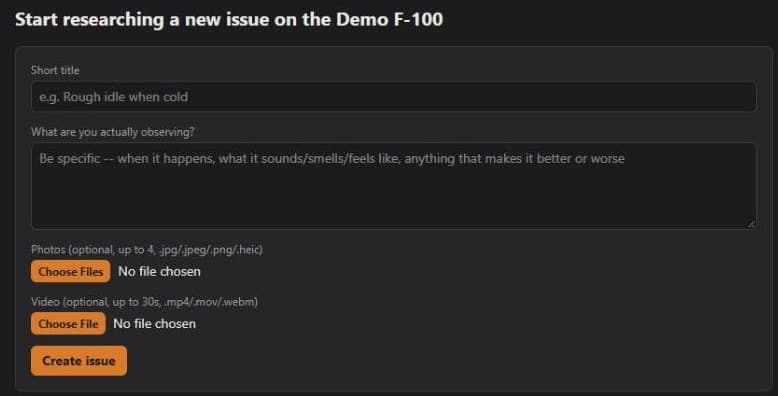
Show it, don't just describe it
Start an issue with a clear description and photos. The AI looks at the pictures along with your notes, and every issue keeps its own gallery for later.
- Attach up to four photos to a new issue, or add more as you learn more
- Photos can go along with any reply during a diagnosis
- Log what you check and find as you go, so nothing is repeated
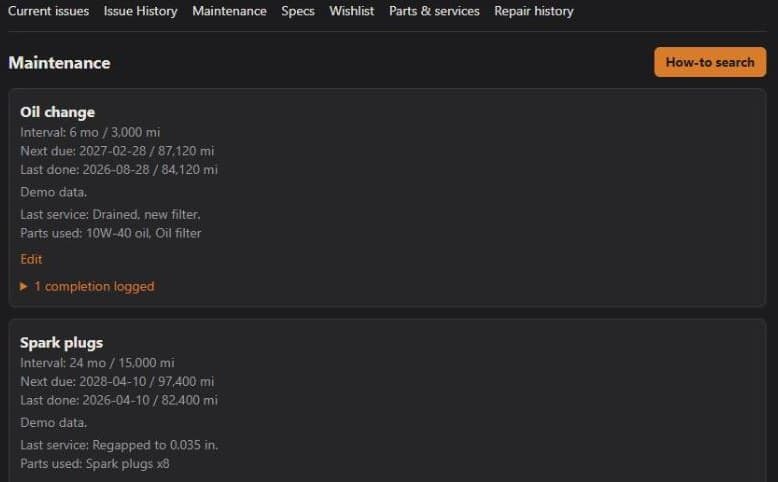
Maintenance that remembers for you
Set an interval in months, miles or both. ShadeTreeGarage tracks what's last done and what's next due, and keeps a history of every time you did the job.
- Log each service with mileage, notes and the parts you used
- Fix a typo or a wrong mileage any time; your history stays accurate
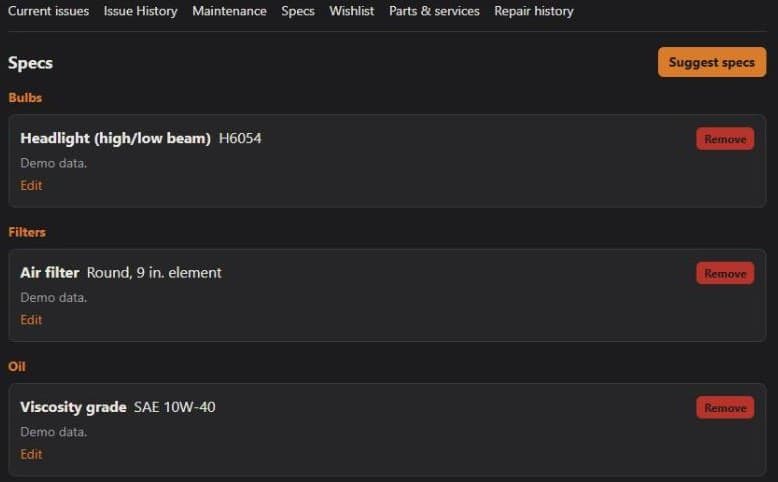
Specs at your fingertips
Oil type and capacity, filters, bulbs, wiper blade sizes. Let the AI look up the stock specs for your vehicle and save the ones you want, then keep them handy at the parts counter.
- One-tap suggestions for your exact year, make, model and engine
- Add your own, with an order link for each
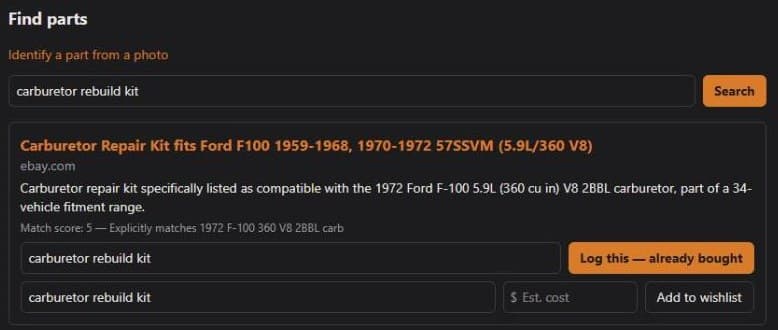
Find the right part
Search for a part and get results scored for how well they fit your exact vehicle. Not sure what it's called? Take a photo and the AI describes it so you can search.
- Match scores and the reason behind each one
- Save a result to your parts log or your wishlist
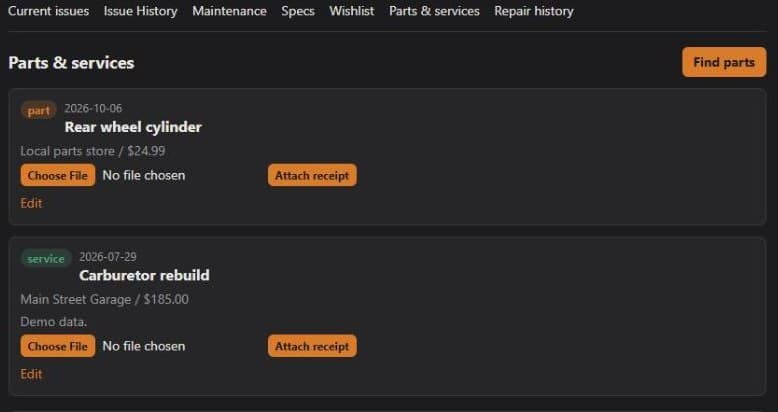
Parts, receipts and the real cost
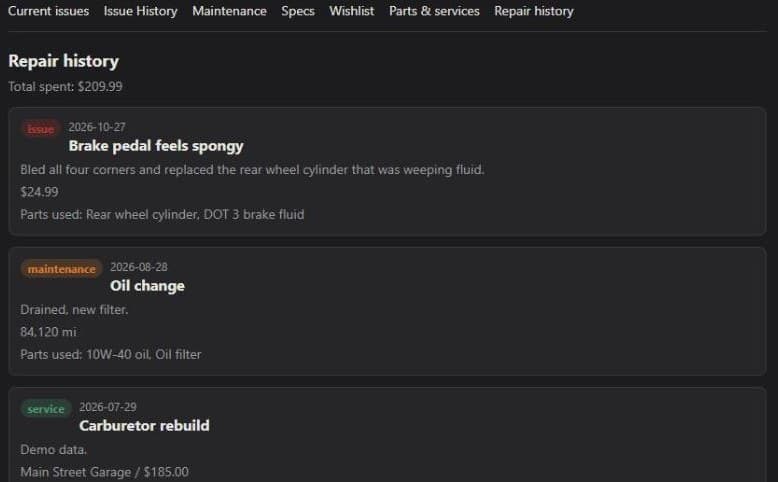
Log what you bought and what shops did, attach the receipt, and watch the total on each vehicle. Everything rolls into one repair history.
- Parts and services with vendor, cost and receipt
- A running total spent per vehicle
Built around you
Advice pitched at your skill and your tools
Tell it whether you're a beginner or a seasoned wrench-turner and which tools you own. A beginner gets plain explanations. An experienced owner gets the technical detail. It only suggests steps your tools can actually do, and it says so when a job needs something you don't have.
Why you need it
Less guessing, fewer repeat repairs
Stop repeating yourself
Everything you've already checked is logged, so neither you nor the AI re-tests the same thing twice.
Walk into a shop prepared
Hand over a clear history of symptoms, checks and repairs instead of trying to remember it.
Know what it's really costing you
Parts, shop work and receipts roll up into a running total spent on each vehicle.
Keep the vehicle's story
A documented repair and maintenance history is worth having when it's time to sell or hand it down.
FAQ
Questions people ask
Is the AI a mechanic?
No. It's a knowledgeable helper that can be wrong. It tells you what it thinks is likely and how to check, and it ends every diagnosis with an honest call on whether the job is one to do yourself or one for a certified mechanic. Brakes, fuel, steering, suspension and anything that has you under the vehicle lean toward a shop unless the step is simple and low-risk.
Once I know what's wrong, will it show me how to fix it?
It points you to repair videos matched to your exact vehicle. Open Find videos on an issue, or ask a how-to question on its own, like "how do I change my oil." Each result is scored for how well it fits your year, make, model and engine, with the reason, so a video for a different truck gets a low mark. The AI itself focuses on diagnosing the problem and on whether the job is one to do yourself; it isn't a replacement for a repair manual.
Do I need an OBD-II scanner?
No. ShadeTreeGarage is built for older vehicles that have no diagnostic port to read, so it works from your description, your photos and what you've already checked. If you do own a scanner, you can tell it so in your tools list.
What vehicles does it work for?
It's made for classics and older vehicles, such as trucks, cars and SUVs from before computers ran everything, but you can add any vehicle you work on.
Can I keep more than one vehicle in my garage?
Yes. During the beta you can add as many vehicles as you like. Each one keeps its own issues, maintenance, specs, parts, receipts and total spent, all under one sign-in.
What does it cost?
It's free during the beta. Pricing for the future hasn't been set.
How do I get access?
ShadeTreeGarage is an invite-only beta right now. If you've been invited, use Sign in. Otherwise, ask for an invite.
What happens to my data and photos?
Only you can see your garage inside the app. To answer you, the AI is sent your vehicle details, the issue history and any photos you attach; those requests go to Anthropic's Claude. Uploaded photos and receipts are served from unlisted web addresses, so anyone who has the exact link can open the file. The Privacy page has the details.
Keep it running. Know what's been done to it.
Already invited? Sign in and pick up where you left off.